Video: Introducing AI: Building the Basics
Finding information used to be a lot like fishing. You had to hunt in so many different places. And if you didn’t fish in the right place, you wouldn’t catch what you were looking for. But now you can search for the information you need using the power of artificial intelligence, AI.
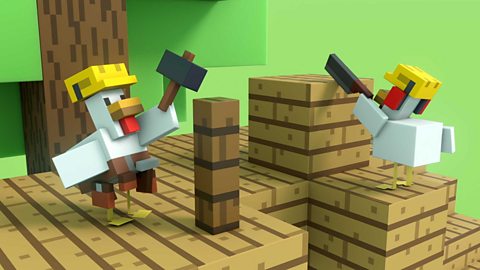
AI is a technology created by people to help us with lots of things, including suggesting ideas to help solve big problems. It’s a bit tricky to explain so Chicken has kindly offered to help. Thanks Chicken. Firstly, programmers, the people, must teach the AI. This is a bit like trying to teach Chicken massive amounts of new things. It’s a lot to take in.
Once the AI model has absorbed all the information, it starts to find patterns within it. For example, books about tigers often mention cats, but websites about cats rarely mention cars. Pictures of cars can include dogs but studies about dogs rarely mention saxophones. These are patterns. AI can read these patterns and after it’s found millions of them, it starts to make predictions. For instance, AI can see that fish are unlikely to be found in trees or fields or mugs of water or puddles but AI also sees that fish do live in large bodies of water like ponds and rivers. AI can make mistakes. It’s right about whales living in water but wrong about them living in ponds. Always double check what AI tells you. Like most technology, AI is being improved all the time. Chicken, you have done an amazing job. Thanks for your help. What do you think AI will be able to do next?
Video summary
Animated video: 2 min 15 sec
• The video explains that Artificial Intelligence (AI) technologies can be used to help search for information online.
• The Chicken and Agent characters help to explain that AI is a technology created by people to help find solutions for big problems.
• AI models are trained on huge amounts of information so that they can learn to spot patterns and make better and better predictions about what information usually goes together.
• The video reminds us that AI tools can make mistakes (sometimes called 'hallucinating'), so we always need to check what the AI tool is telling us.
• The video also reminds us that AI technology is very new and is changing and improving all the time.
This animation was produced by Minecraft Education and Microsoft in collaboration with BBC Bitesize.
There are more Minecraft Education videos and resources on Bitesize for Teachers here. Each video invites children on a journey alongside Chicken and Agent to explore the world of AI, and each is accompanied by curriculum links and teaching notes.
Minecraft Education’s AI Foundations program offers a set of learning materials and immersive games for building AI literacy, designed to empower students, educators, and families with a fundamental understanding of how AI works and how to use AI tools responsibly.
Teaching guide
Learning objectives
England Computing National Curriculum
I am learning how to use technology respectfully and responsibly.
I am learning to be discerning in evaluating digital content.
Education for a Connected World 2020: Managing Information Online
I can evaluate digital content and can explain how to make choices about what is trustworthy.
I can analyse information to make a judgement about probable accuracy, and I understand why it is important to make my own decisions regarding content.
Glossary
| Artificial Intelligence (AI) Technology | Computer programs and systems that can think, learn, make decisions and solve problems. |
| Model | A computer program that can spot patterns in large amounts of information. |
| Predictions | Smart guesses made by AI tools about what will most likely come next. |
| Training AI | Giving an AI program a huge amount of information to help it learn. |
Topic introduction and starters
Before the video
- Children write down their own definitions of the words “artificial” and “intelligence” on a post-it note – these can be shared after the lesson as a display.
After the video
Go through the definitions noted down before watching and correct any misconception.
Clarify any other new vocabulary - focus on words that have a different meaning when used in Computing, for example “model” and “training”.
Discussion points
Is Artificial Intelligence cleverer than humans?
Does AI always get things right - is it always accurate?
What kind of problems could we use AI to help us solve?
What types of AI tools do you know about already?
Further questions to research
How much information is used to train an AI model?
Can AI beat humans at games like chess?
Activities
What category?
Training game
Use a collection of images of a range of familiar items and ask children to sort them into categories giving reasons for their choices. Explain that this is a bit like training an AI model with data.
Introduce a new image and ask children to decide (with reasons) what category it should be placed in. For example: put all images of cats into a ‘cat’ category, then sub-divide into wild cats (tigers and lions) and pets.
Which category would a small striped pet cat be put into – tigers or pets? Venn diagram hoops could be used to help with sorting.
What comes next?
Predictive text jigsaw game
In this activity pupils are acting as a trained AI model as they have already ‘learned’ the information or data.
Cut up a familiar text that uses a pattern (nursery rhyme, set of school rules, repetitive story or song) into opening phrases and ending words, for example: “Humpty Dumpty sat on a…” and “wall” “fall” “men” “again”.
Alternatively create a digital version to share on a class whiteboard.
Pupils then try and recreate each line or phrase by predicting what might come next and fitting the most likely word on the end of the phrase.