Video: Solving problems with AI
Artificial intelligence or AI might seem brand new but some AI has been around a while, and we use it in our daily lives – like robot vacuum cleaners. They use AI to find their way around. And when you use your face to unlock your tablet, that uses AI too. Wow, a coral reef! You want to go there Chicken?
A new type of artificial intelligence is beginning to help us in lots of ways, for example, the people who build AI are working on creating chatbots whose answers are picked just for you. Oh, Chicken’s chatbot has found a great place to go diving!
Although a few places already have self-driving taxis, we’re going to see a lot more of them as AI makes them better and better. AI will play a huge part in how we understand the world around us. For instance, scientists are studying ways to use AI to learn more about our oceans, like building mini-submarines that use AI to identify and track fish so we can learn more about them. The future of AI could be very exciting. Some scientists believe that with the help of AI, we’ll eventually be able to understand how dolphins talk to each other.
But AI is a very powerful tool. And it’s up to all of us to learn how to use AI safely and responsibly so it can help us solve big problems.
Video summary
Animated video: 1 min 47 sec
• The video explains that although Artificial Intelligence (AI) seems new, it has in fact been around for a while in devices like robot vacuum cleaners and tools like facial recognition.
• We learn how new types of AI technology like chatbots can now help us in different ways, like finding places that are good for diving, or helping self-driving cars improve.
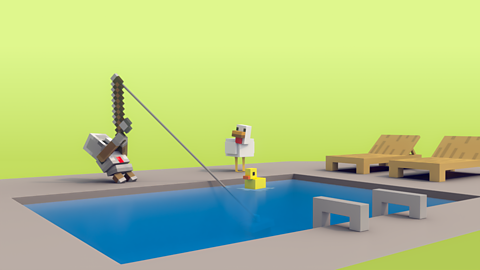
• We then follow Chicken and Agent under the ocean, where AI is helping us find out about the world around us and solve problems, for example by helping submarines identify and follow fish to find out more about them.
• Our explorers meet a friendly dolphin who maybe one day in the future, with the help of AI, will be able to communicate and ask them to help rescue their friend who is trapped.
• The video reminds us that AI is a powerful set of tools and that we must learn how to use them safely and responsibly to solve problems.
This animation was produced by Minecraft Education and Microsoft in collaboration with BBC Bitesize.
There are more Minecraft Education videos and resources on Bitesize for Teachers here. Each video invites children on a journey alongside Chicken and Agent to explore the world of AI, and each is accompanied by curriculum links and teaching notes.
Minecraft Education’s AI Foundations program offers a set of learning materials and immersive games for building AI literacy, designed to empower students, educators, and families with a fundamental understanding of how AI works and how to use AI tools responsibly.
Teaching guide
Learning objectives
England Computing National Curriculum
I am learning how to use technology respectfully and responsibly.
I am learning to be discerning in evaluating digital content.
Education for a Connected World 2020: Managing Information Online
I can evaluate digital content and can explain how to make choices about what is trustworthy.
I can analyse information to make a judgement about probable accuracy, and I understand why it is important to make my own decisions regarding content.
Glossary
| Artificial Intelligence (AI) Technology | Computer programs created by humans to solve problems, answer questions and carry out tasks independently. AI tools are trained to spot patterns and adapt to new information. |
| Chatbot | A type of AI tool that can communicate like a human, asking and answering personalised questions. |
| Facial Recognition | An AI tool that can learn what your face looks like and use it like a password. |
| Software Developer | Someone whose job is designing and writing computer programs and systems. |
Topic introduction and starters
Before the video
- Children write down their own definitions of the words “chatbot” and “AI” on a post-it note – these can be shared after the lesson as a display.
After the video
Go through the definitions noted down before watching and correct any misconception.
Clarify any other new vocabulary – break down words to explore their meaning – for example “chat” which is familiar and “bot” which is short for robot.
Discussion points
Can a chatbot really understand what we are saying?
What kinds of problems does AI solve in our daily lives already?
What are some of the things we should double check when talking to a chatbot?
What do we mean when we say we must use AI tools “responsibly”?
Further questions to research
Can AI already translate different languages?
Are self-driving cars really safe?
Activities
Chatbot role play
Discuss how a chatbot uses patterns from all the data it has been trained on to predict what words will come next in a conversation.
Remind pupils that the chatbot doesn’t really “understand” the words like a human does and can get things wrong.
In pairs, children take turns in role playing a chatbot and a chatbot user.
Provide scenario cards and scripts for each role to support the conversations. For example, a scenario where a chatbot gives a factually incorrect answer, or one where it doesn’t have any information of a specific topic and gives an error message.
Children can then create their own scenarios for further role play conversations.
This activity will support the understanding that chatbots can get things wrong and their responses need to be checked.
AI translator
Explore how AI can help with translating from one language to another.
Look at Google Translate as a class and compare it to using a translation dictionary.
Discuss the advantages of a digital version on your phone.
If devices are available, pupils can work in groups with a tablet or laptop device to translate familiar poems or passages from fiction etc into another language and hear what it would sound like when read aloud.
You can also provide familiar text excerpts translated into another language and see if pupils can translate them back into English and recognise them.
This is a good opportunity to work with children in your class who speak more than one language.