Video: Using AI Thoughtfully
Agent and Chicken want to build a tree house, so they’re looking for ideas online.
Wow, look at that one, it’s almost too good to be true. Wait a minute. This could be an image AI has created. Sometimes it can be really hard to tell if a picture is fake.
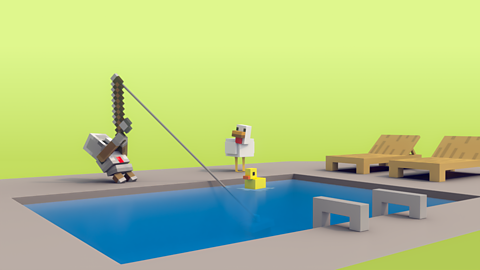
But, let’s take a closer look at this one anyway. Erm. This treehouse looks a bit weird. This door doesn’t go anywhere and those columns look impossible. Wait. What’s happening? That’s a nice-looking balcony but, uh, Chicken… I think you’re upside down. Look out! Are you okay? You fell off the couch. Aw, come on, you two. Don’t be disappointed. That image wasn’t real but AI can still help you. Ask AI: “How can I build a safe treehouse?” Nice.
Look at those AI results. Detailed instructions on how to build a treehouse, materials you need and how to make it safer. I wouldn’t have thought of putting a safety net there but that’s a great idea! Just stop a minute. Even though AI can be very accurate, you always have to cross-check the information with other reliable sources.
Let’s see… are they the Building Birds? I love them! I’ve been following them for years. They build cool treehouses that are chicken certified for safety. I think we can trust what they have to say. Look at them go! You know, it looks a lot like the treehouse AI described but…oh yeah those steps are better than the ladder. And having a guard rail there makes a lot of sense. So, I think with the information from AI and the reference video, you’re ready to start building. Good luck!
You two have outdone yourselves. That looks amazing! Hmm, what are you thinking now? Oh, you’re not sure if this treehouse looks as cool as the first one? Well, maybe not? But this one is something you could actually build and it has a fabulous safety net. How about now that you’ve built a real treehouse, you use the AI image as inspiration for decorating! It will still be safe, and now it will look extra-fun too. Wow! You’ve done an amazing job!
Video summary
Animated video: 2 min 51 sec
• Agent and Chicken are looking online for treehouse design ideas. They find an image of a treehouse created by AI that looks amazing at first, but when they look closer it is in fact dangerous and impossible to build!
• We learn that although AI-generated images might sometimes be fake, you can still ask AI to help with planning a safe treehouse.
• Chicken and Agent get some very detailed building instructions for a treehouse from the AI but the narrator reminds them that it’s a good idea to cross-check information given by an AI model with other resources.
• They watch a video from a reliable treehouse building channel and combine the ideas they find there with the AI-generated plans.
• Chicken and Agent build a safe and sensible treehouse, but it doesn’t look very exciting. They go back to the original AI treehouse image and use some of the details to make their sensible treehouse look cool.
This animation was produced by Minecraft Education and Microsoft in collaboration with BBC Bitesize.
There are more Minecraft Education videos and resources on Bitesize for Teachers here. Each video invites children on a journey alongside Chicken and Agent to explore the world of AI, and each is accompanied by curriculum links and teaching notes.
Minecraft Education’s AI Foundations program offers a set of learning materials and immersive games for building AI literacy, designed to empower students, educators, and families with a fundamental understanding of how AI works and how to use AI tools responsibly.
Teaching guide
Learning objectives
England Computing National Curriculum
- I am learning how to use technology respectfully and responsibly.
- I am learning to be discerning in evaluating digital content.
Education for a Connected World 2020: Managing Information Online
- I can evaluate digital content and can explain how to make choices about what is trustworthy.
- I can analyse information to make a judgement about probable accuracy, and I understand why it is important to make my own decisions regarding content.
Glossary
| Artificial Intelligence (AI) Technology | Computer programs created by humans to solve problems, answer questions and carry out tasks independently. AI tools are trained to spot patterns and adapt to new information. |
| AI-generated images | Images that are created by a generative AI model based on instructions from the user. |
| Reliable sources | A place to find information that can be trusted to be true and accurate. |
| Cross-check | Comparing information from one source with the same information from another source. |
| Fake | Something that is not real that has been created deliberately to deceive. |
Topic introduction and starters
Before the video
- Children write down their own definitions of the words “Artificial Intelligence” and “AI-generated images” on a post-it note – these can be shared after the lesson as a display.
After the video
- Go through the definitions noted down before watching and correct any misconception.
- Clarify any other new vocabulary – focus on words related to reliability, sources and accuracy.
Discussion points
- Can we trust an AI to always tell the truth or give us accurate information?
- How can we tell if an online information source is reliable?
- How can we tell if an image is real or AI generated?
- Are all AI-generated images “fake”?
Further questions to research
- Will AI tools always give exactly the same answer to the same question every time?
- How do the people that make AI tools try and make them safer and more accurate?
Activities
Activities
Real or AI?
Provide a selection of images (either printed sets on tables or shared as a slide presentation on the class whiteboard) and ask children to decide if they think they are AI generated or real. Focus on AI-generated images that are meant to be taken as “real” but are in fact very unrealistic or deliberately deceptive.
This could be run as a quiz, with children noting down their thoughts and then revealing the real/AI results at the end.
Children can then discuss what clues they can use to spot an AI image from a real one.
This activity will support the understanding that AI can generate realistic looking images that might be mistaken for real images created by people.
Thoughtful planning
Discuss how AI tools work best to answer plan a task or solve a problem when we give them thoughtful and detailed instructions.
Provide some example projects – (eg build a children’s playground, make a house for a pet rabbit, create a design for a T-shirt) and ask children to work in pairs to write a thoughtful and detailed list of instructions for the AI tool to help it give the best possible response.
Share the lists with another pair working on the same project - compare their ideas and combine them into one better list, adding further details to the instructions if necessary.
If there is time, children could add diagrams and images of the completed project.
This activity will explore the idea that AI responses to problems and questions will be more helpful if the user gives the AI lots of details about their problem or question.