Video: Using AI Tools Responsibly
Hi, what are you watching? Ooh, a trick shot! Those are fun! You know what? You could use AI to help you design your own trick shot. Make it amazing! Can I see it? Okay, so you throw the ball, it would bounce off the Eiffel Tower, rebound off the Great Wall of China, and then bounce off the statues on Rapa Nui? Wait, that’s impossible! You can’t throw a basketball around the world! What kind of AI system did you use to come up with that?
Oh, no! You can’t use the AI model in your car’s GPS to help you plan a trick shot. That AI system helps you find your way around by giving you directions. You need the right tool for the task. To help create a trick shot, you need AI with ideas, like a chatbot. Good luck!
Okay, let’s see your plan. You bounce the ball off the floor and the ball goes right through the hoop. Erm, that’s not very exciting. Wait, did you ask it to just make a basket? Ah, I see the problem. AI that can help generate ideas like a chatbot only does what you tell it to do. You need to give it detailed instructions about what you’re looking for. That will help get better answers. And be sure to check what the AI tells you. Make it your own!
A new plan! I’m excited to see it. This is great! Oh, no! The AI was wrong about that last bounce. The basketball is off course! Chicken, what are you doing? Will it work?
Unbelievable. That was the best trick shot ever! You used the right AI system for the task, gave it detailed instructions and then used your own knowledge and ability to score that unbelievable trick shot. Now that’s how to use AI responsibly.
Video summary
Animated video: 2 min 32 sec
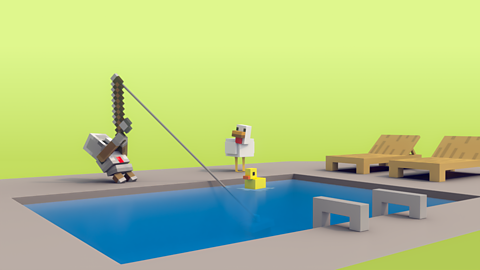
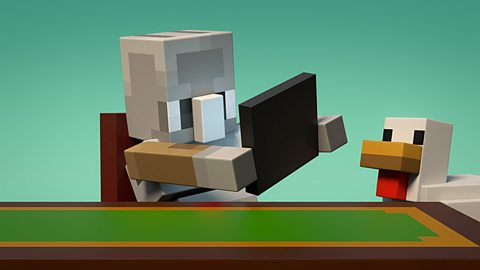
• Chicken and Agent watch video clips of a basketball trick shot, inspiring them to try using AI tools to design their own trick shot.
• Their first trick shot idea involves the basketball bouncing off famous places all over the world, including the Eiffel Tower and the Great Wall of China! It turns out that Chicken and Agent have used an AI model taken from a car GPS system.
• We learn that this is the wrong AI model for the type of task they are working on and suggests that they need to use a generative AI model like a chatbot to help with their trick shot plan. The must also give it more detailed instructions.
• We learn that sometimes, even though we are using the right type of AI model and giving it detailed instructions, the results are better if we add in our own knowledge.
This animation was produced by Minecraft Education and Microsoft in collaboration with BBC Bitesize.
There are more Minecraft Education videos and resources on Bitesize for Teachers here. Each video invites children on a journey alongside Chicken and Agent to explore the world of AI, and each is accompanied by curriculum links and teaching notes.
Minecraft Education’s AI Foundations program offers a set of learning materials and immersive games for building AI literacy, designed to empower students, educators, and families with a fundamental understanding of how AI works and how to use AI tools responsibly.
Teaching guide
Learning objectives
England Computing National Curriculum
- I am learning how to use technology respectfully and responsibly.
- I am learning to be discerning in evaluating digital content.
Education for a Connected World 2020: Managing Information Online
I can evaluate digital content and can explain how to make choices about what is trustworthy.
I can analyse information to make a judgement about probable accuracy, and I understand why it is important to make my own decisions regarding content.
Glossary
| Artificial Intelligence (AI) Technology | Computer programs created by humans to solve problems, answer questions and carry out tasks independently. AI tools are trained to spot patterns and adapt to new information. |
| Generative AI Model | An AI model that can create (or generate) answers and ideas when we ask it a question or give it a problem to solve. |
| Chatbot | A type of AI model that can communicate a bit like a human, generating personalised questions and answers as part of a conversation. |
| Car GPS System | An AI tool that uses information from satellites in space to work out where the car is on a map. GPS is short for Global Positioning System. |
Topic introduction and starters
- Children write down their own definitions of the words “responsible” and “artificial intelligence (AI)” on a post-it note – these can be shared after the lesson as a display.
Before the video
- Children write down their own definitions of the words “responsible” and “artificial intelligence (AI)” on a post-it note – these can be shared after the lesson as a display.
After the video
Go through the definitions noted down before watching and correct any misconception.
Clarify any other new vocabulary. Include explanations of abbreviations like GPS to avoid misunderstandings and expand children’s knowledge of technology in the wider world.
Also explore the way that words can be used in Computing that have another simpler meaning in everyday life – like ‘generate, and ‘model’.
Discussion points
How many different types of AI tool do you know about? Make a class list.
What different types of everyday problems could we solve using AI tools?
How can we make sure the AI tool we are using can give us the best answer to our problem?
Why is it important that we remember to use our own knowledge and understanding when working with an AI tool?
Further questions to research
What are some of the more important problems in the world that people have used AI to solve?
How does an AI model know so much about basketball? (or any other topic…)
Activities
Giving detailed instructions
Play a game in pairs where one partner gives the other a simple instruction that could easily be misunderstood. This could be done as part of a PE lesson where instructions are about movement, or in class, with pencil and paper and instructions for drawing something.
Once the first instruction has been followed, the instruction giver decides how to get a better result by giving more detailed instructions. This continues until the partner is doing exactly what the instruction giver wanted. Roles can then be reversed. The sequence of instructions might look like this:“Draw a face - draw a happy face – draw a face with a smiling mouth - draw a face with a smiling mouth showing their teeth.”
This activity will support the understanding that chatbots can only respond to the instructions we are giving them.
Using the right tool for the job
- Provide children with examples of different AI tools and the problems they are good at solving, or the tasks they are good at carrying out. Examples might include: A spellchecking AI, a car GPS system, translation AI, a game instruction helper bot. Make sure the examples have a clearly defined skill.
- Ask children to create a list, a simple flow diagram or mind map exploring how they think one of these AI Tools work. Include the type of information the AI model will need to know to work well at their task.
- Children can then come up with ideas for their own expert AI tools, designed to solve specific problems, eg help with homework, find recipes, create a pop song etc.
This activity will encourage children to think about specificity, and what different AI models need to learn before they can help with specific tasks.