DSE (Display Screen Equipment - Wellbeing)
A safety guide to Display Screen Equipment (DSE) use at work, including advice on completing assessments for various types of workstation and how to address any health issues.
For the purposes of this guidance and the Health and Safety (Display Screen Equipment) Regulations, a DSE user is someone who:
Uses display screen equipment (such as a computer, laptop, tablet or similar device) daily, and uses it for continuous periods of around an hour or more at a time as part of their normal work.
This definition helps identify who is covered by the Regulations and who should complete a Workstation Wellbeing Assessment.
Colleagues who use display screen equipment infrequently or only for short periods are not normally classed as DSE users under the Regulations. However, everyone is encouraged to follow good ergonomic practice and adjust their workstation to support comfort, wellbeing and safe working.
Whether you are working from an office, home or another place of work you should ensure that your ergonomic set up and way of working is right for you. This may be for when you’re working with monitor screens, a laptop, a desktop or a tablet; we want to ensure that you know how to best set up the equipment you are using.
DSE (Display Screen Equipment)
What Can Go Wrong?
• If you are working with computers whether at home or in the office for extended periods, with poor posture and inadequate breaks you may experience aches and pains.
• Conditions left untreated can develop into long term health problems and are more difficult to resolve. It is important for your wellbeing that you are aware of appropriate training and support to ensure that you can manage your working environment to reduce the effects of what can go wrong.
Legal/BBC Requirements
• Health and Safety (Display Screen Equipment) Regulations 2002 is the law that applies for anyone that works with display screen equipment as a core part of their job (DSE User.
• Anyone working with display screen equipment should have an assessment of their workplace; we do this by using the Workstation Wellbeing Assessment. Your team leader will review your assessment and, if appropriate, will approve provision of equipment.
• Your Safety Advisor can also help with reviewing your Workstation Wellbeing Assessment results (downloadable PDF when you complete the Workstation Wellbeing Assessment) and give you and your team leader advice. Any specialist advice will need to be via an Occupational Health referral.
• For deaf, disabled and neurodivergent people, the Workplace Adjustments Service Desk can be consulted to ensure the appropriate support is provided.
• Ill-health assessments will be via our Occupational Health provider.
• Team leaders will ensure their team has what they need to work with display screens.
Control Measures
Training & Equipment
Complete your Workstation Wellbeing Assessment to help you to make adjustments to support you in your work environment whether in the office, at home or on location.
In addition, users should maintain good hygiene practices when using display screen equipment. This includes regularly cleaning shared equipment such as keyboards, mice and touchscreens, and practising good hand hygiene, particularly in shared or hot‑desking environments.
If you need any equipment to support you, you should use the PDF from your Workstation Wellbeing Assessment to discuss this with your team leader who can order equipment via BuyBookOrder.
You may not need office-type furniture or equipment at home to achieve a good posture. Your own furniture or equipment may be suitable or sufficient. Use your Workstation Wellbeing Assessment with your team leader to help you decide what is needed for your own situations and circumstances.
Once you’ve done your Workstation Wellbeing Assessment, you and your team leader can ask a Safety Advisor for advice and tips on any equipment you may need or how best to set up your workstation with the equipment. For any ill-health or physical requirements; these should be referred to Occupational Health whose team can give specialist advice and support.
Workstation Wellbeing Assessment pdfs should be sent to HR.
Occupational Health Referrals
Remember: you can order standard workstation equipment via BuyBookOrder without going via Occupational Health for a referral e.g. mouse, keyboard, desk chair. Your team leader can approve the purchase of equipment you need to support you with working with display screen equipment.
Occupational Health referrals should be used when you have a heath or physical requirement that will need specialist support or equipment.
• Discuss any issues with your team leader who will complete a referral process to Occupational Health on your behalf for additional support.
• Occupational Health can be contacted via Gateway
If you have had a Workstation Assessment via Occupational Health referral which recommends that you have a specialist chair or other specialist items, your team leader can order this via BBC procurement.
Home Office Furniture Loan
• You may choose to purchase your own home office equipment or furniture to meet your specific preferences for style or set up in your own home.
• Please speak to your team leader who will advise and then approve the loan
• Team leaders should follow advice on the Hybrid Working Microsite on when and how to make a Home Office Furniture Loan Agreement available.
BBC Buildings
The BBC have procured workstations with ergonomic equipment that you can adjust to suit your set-up. An assessment of risk has been carried out during design of these areas.
Eye Tests
If you are a display screen equipment (DSE) user you can ask for an eye test, and support with glasses if these are needed as part of DSE use for work. Click on Useful Documents to find the Eye Test Expenses Claim Form.
Specialist set-ups (including edit suites and galleries and trucks)
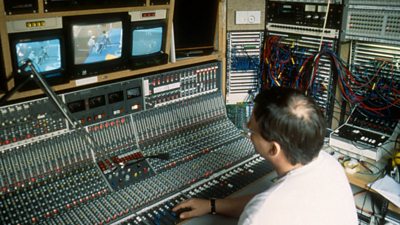
Some work requires multiple screens or unusual set-ups. The principles above will apply to these but a specific risk assessment should have been undertaken during design phase and when any changes or updates to equipment layout is planned.
Physiotherapy
If you have an injury that is impacting your health and/or your ability to do your job you can get help via the BBC Occupational Health service
Click here to find out more information on Physiotherapy.
If you experience problems:
• If there are issues with the computer hardware such as the keyboard, mouse, or monitor then contact your local ITC, or call the IT help desk.
• If there are issues or problems with the environment, lighting, heating etc. then contact BBC Workplace Service Centre.
• For deaf, disabled and neurodivergent people, the Workplace Adjustments Service Desk will listen to your needs, guide you through the process, and coordinate everything from start to finish. That includes assessing what’s required, arranging funding for eligible adjustments, and making sure what’s put in place really works for you.
For managers – we help them understand what’s needed and how to make adjustments happen quickly and effectively.
• If you have assistive technology requirements then speak to: the IT Helpdesk (external 0845 305 0440) or the Access Services Unit.
For Team Leaders
• You are responsible for ensuring that your team do a Workstation Wellbeing Assessment, applying the basic principles and taking breaks away from using screens.
• If a team member is reporting pain or discomfort you can refer them to Occupational Health for assessment and advice on their workstation and whether and adjustments are needed. This may include physiotherapy treatment where a short course is likely to resolve the problem. You can also contact a Safety Advisor for tips and advice but specialist advice will need to be from Occupational Health.
• Once an assessment has been completed, Occupational Health will send you a report outlining their recommendations. It is up to you to ensure these recommendations are put in place and any additional equipment is ordered.
FAQs/Did You Know?
• There is no evidence that DSE use damages eyesight though you can experience eye strain and headaches with extended use particularly with poor lighting and posture.
Useful documents
Eye Test Expenses Claim FormUpdated Feb 2022 Homeworking Risk AssessmentUpdated Feb 2022
Recommended links
- Hybrid Working[Gateway]
- Agile Working[Gateway]
- Occupational Health[Gateway]
- Physiotherapy[Gateway]
- Access Services Unit[Gateway]
- myBusiness[Gateway]
Skin and eyesight risk topics
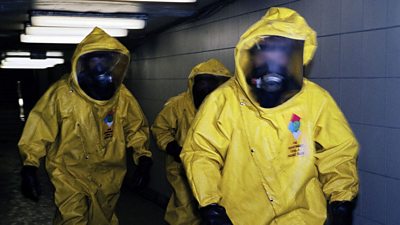
CBRN and Industrial Spills
A guide to chemical, biological and radiation related hazards.
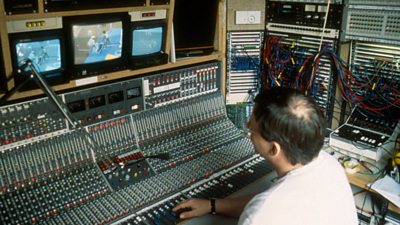
Display Screen Equipment (DSE)
A safety guide to various types of workstation and how to address any health issues.
Laser Light Effects
Guidance to using laser on productions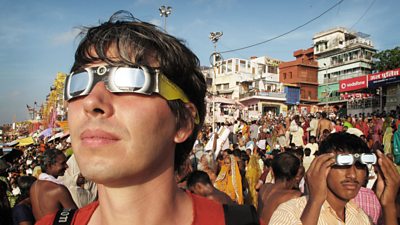
Non-Ionising Radiation
An overview of the risks from exposures to non-ionising radiation, including UV, microwaves and electro-magnetic fields (EMF).